AERONET Instrument Troubleshooting Interface - Solutions for BAD SUN TRACKING Flag
Description The instrument uses a two-axis robot and GPS-derived solar position to keep the collimator pointed directly at the sun throughout the day. When tracking is poor, the sun's image drifts away from the pinhole target, reducing the light entering the optical path and causing measured radiance values to drop. This can lead to measurements being flagged as cloud-contaminated or discarded entirely, and may occur temporarily after extended cloudy periods when the robot has not tracked for some time.
Condition(s) Flag if <5 good triplets Flag if <1 good triplets
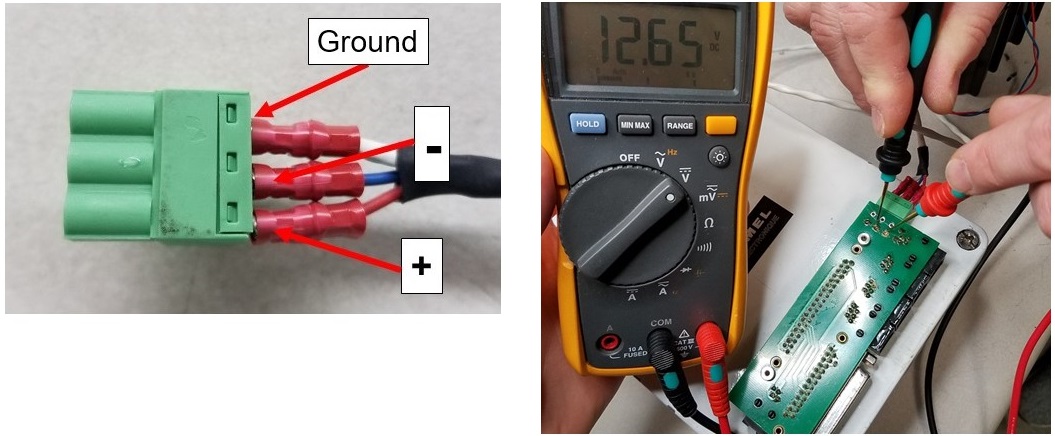
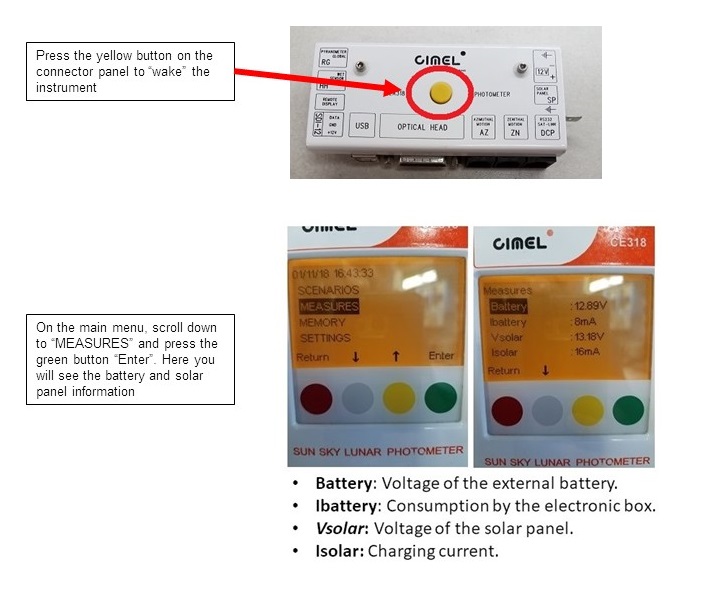
Solution Level 1 (< 5 minutes) It is possible that this flag will be triggered after extended periods of cloudy weather. 1. Ensure there are no other problems such as robot errors, sensor head errors, or insufficient 12 V power. Model 5: See External Voltage Test Model T: See Model T Power Check
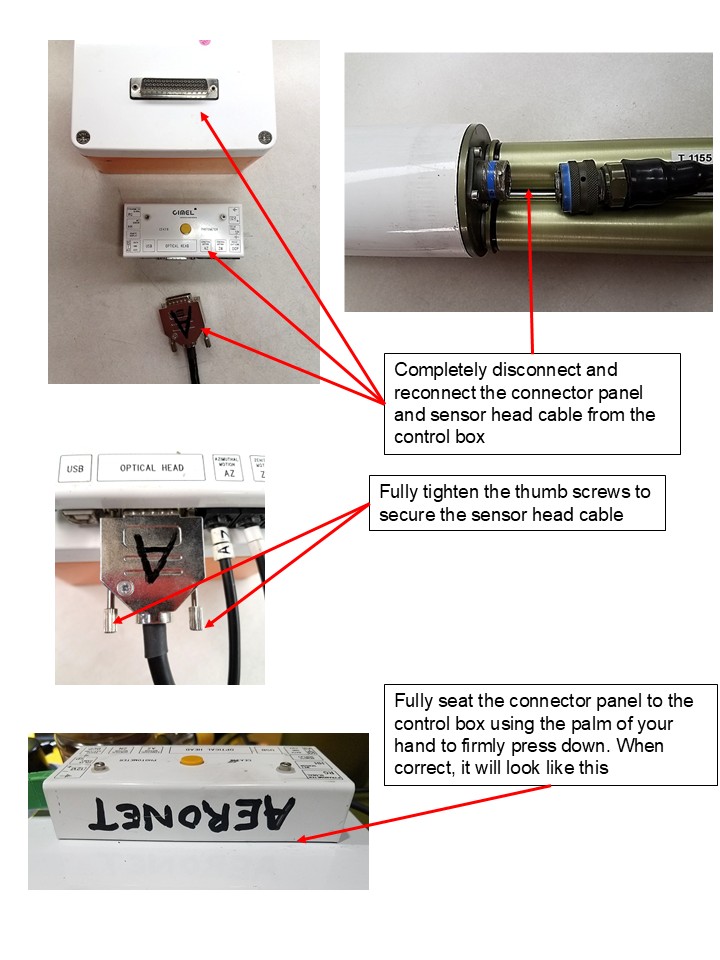
Solution Level 2 (more involved) 1. Run the scenarios PARK, GOSUN, and TRACK. Scenarios must be run in that order, and PARK and GOSUN must complete successfully before attempting TRACK. After running TRACK, the illuminated point should fall exactly on the pinhole marker at the base of the collimator (see TRACK SUN). If it does not, reseat the connector panel and both ends of the sensor head cable, and then attempt all three scenarios again.